Screenshots
Explore the React Scanner Studio dashboard through these screenshots. Click on any image to view it in fullscreen.
What You're Seeing
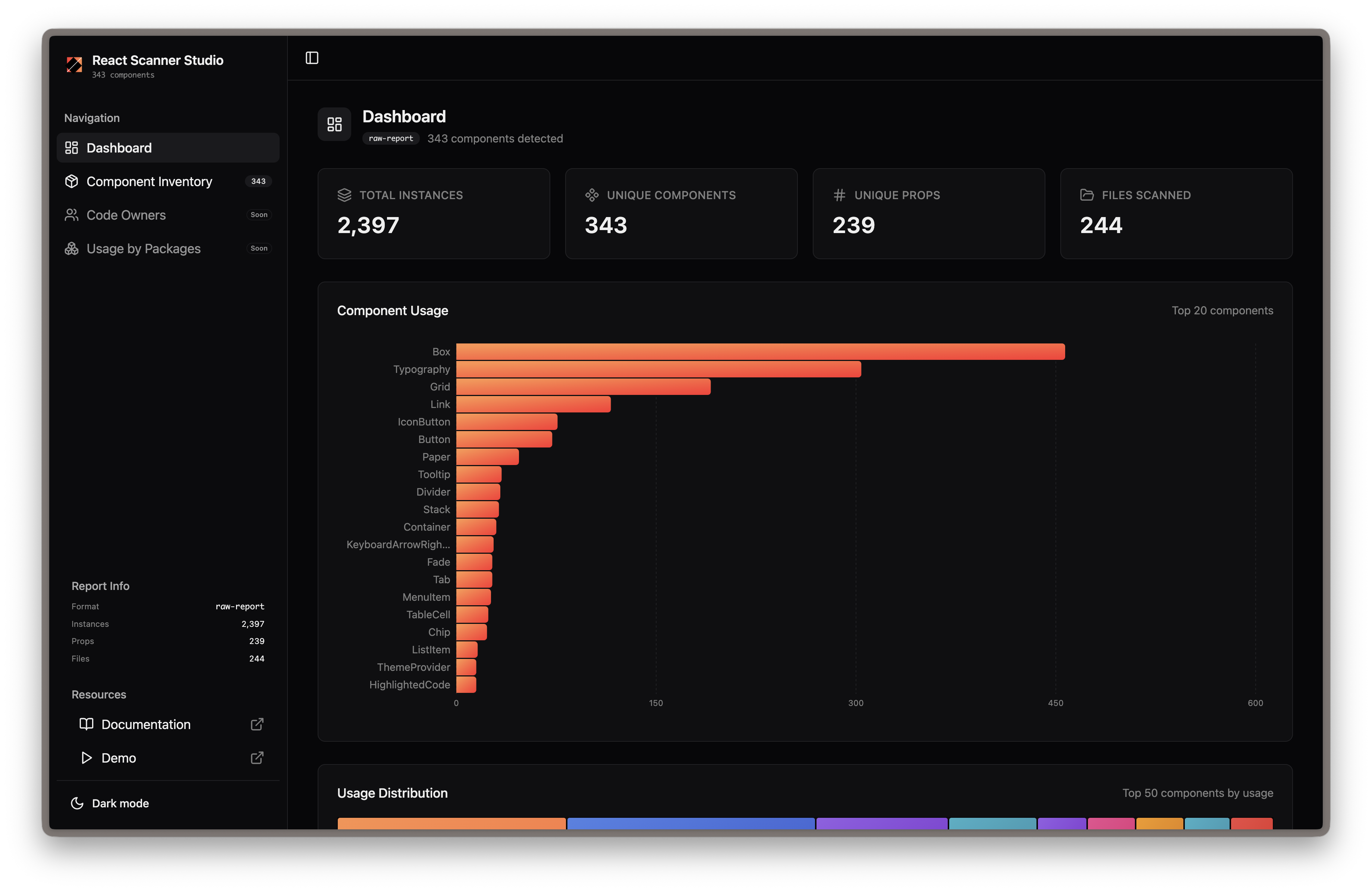
Dashboard Overview
The main dashboard provides a high-level summary of your component usage, including total components scanned, usage distribution, and key metrics at a glance.
Component Inventory
A comprehensive table of all detected components with search and filtering capabilities. Quickly find components by name and see their usage counts.
Component Overview
Detailed view of a single component showing total instances, unique prop combinations, and where it's being used across your codebase.
Component Prop Insights
Deep dive into prop usage patterns. See which props are most commonly used, their values, and identify potential inconsistencies.
Component File Location
Track exactly where components are being used with file paths and line numbers, making it easy to navigate your codebase.
Ready to try it yourself? Get Started or View Live Demo